
Dell Inspiron 5391 Laptop
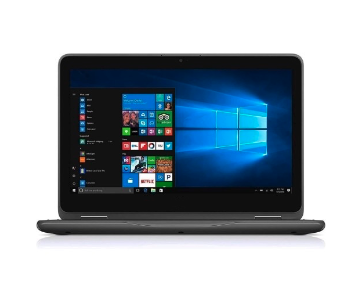
Dell Inspiron 5391 Laptop
Search AgainComputer Information
| Processor | 10th Generation Intel Comet Lake-U Core i3 / i5 / i7 10x10U Series |
| Memory Type | LPDDR3 2133MHz |
| Installed Memory | 4GB, 8GB or 16GB (integrated on system board) |
| Max Memory | 4GB, 8GB or 16GB (memory is not upgradable) |
| Memory Slots | No SO-DIMM slots |
| USB Ports | One USB v3.1 Gen-1 Type-A Port | One USB v3.1 Gen-1 Type-C Display Port |
| Card Reader | Integrated Micro SD Card Reader Slot: (SD/SDHC/SDXC) |
| Original Hard Drives | This Machine Does Not Support 2.5" Drives |
| Original Solid State Drives | Up to 1TB M.2 (2280) PCIe NVMe Gen3 Solid State Drive | Up to 512GB M.2 (2230) PCIe NVMe Gen3 Solid State Drive |
| Drive Notes |
The Dell Inspiron 5391 Laptop Supports Single and Dual Drive Configurations. (One M.2 (2280) or (2230) Solid State Drives and/or One M.2 (2230) Solid State Drive in the WWAN Slot) Note: The primary M.2 slot-1 (SSD1) supports 2280 and 2230 form factor drives. The secondary M.2 slot-2 (SSD2/WWAN) supports 2230 form factor drives only and can be Installed in replace of the WWAN card. The M.2 2230 drive requires an adapter bracket, part number 0G7G2H when installed in slot-1 to properly fit the larger 2280 slot.
|
Upgrade & Replacement Options For Your Dell Inspiron 5391 Laptop
+ Show Compatible - M.2 (2280) NVMe Gen3 Solid State Drive Options
15 options
+ Show Compatible - M.2 (2230) NVMe Gen3 Solid State Drive Options
30 options
+ Show Compatible - Data Transfer / Drive Cloning Case for M.2 PCIe NVMe & AHCI SATA Solid State Drives
1 options
| DESCRIPTION | |||
|---|---|---|---|
| USB v3.2 Enclosure for M.2 NVMe & SATA Solid State Drives - Data Transfers | Cloning Drives | External Storage |
$35.00
|
More Info |